Platform Overview
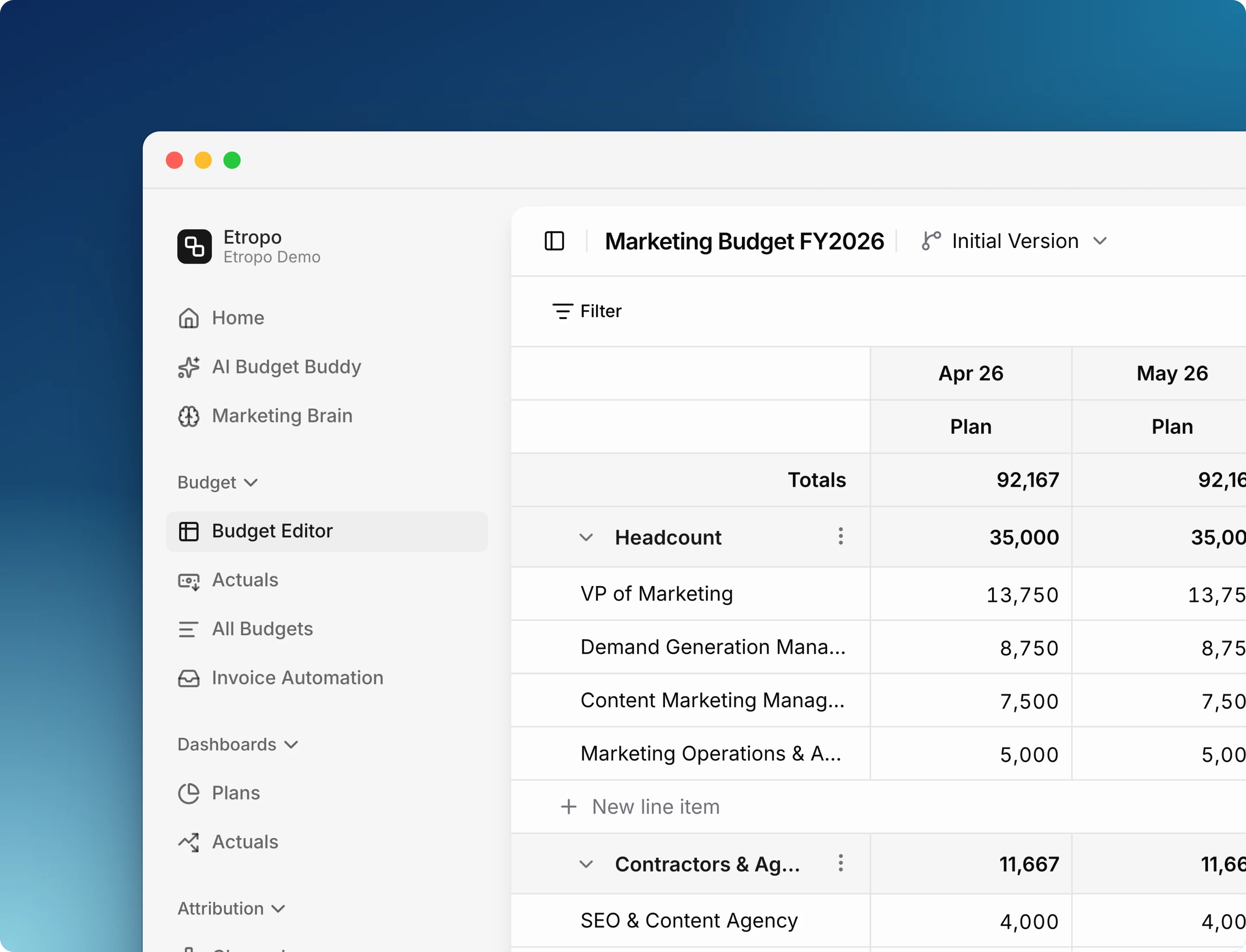
Etropo is an AI-native marketing budget management platform. Plan, track, and optimize your marketing spend collaboratively — from the Etropo app, from Slack, or through AI agents like Claude. Etropo collects spend data automatically from your ad platforms and invoices. Budget Buddy helps you analyze it, report on it, and act on it.
- AI-native - Budget Buddy understands your entire budget. It answers questions, generates reports, and makes updates — in the app or directly in Slack
- Works where you work - Manage your budget from Etropo, update actuals from Slack, or query your spend through AI agents like Claude
- Automated spend tracking - Google Ads, LinkedIn Ads, Meta Ads, and TikTok Ads sync automatically. Forward invoices by email and AI extracts the data
- Real-time collaboration - One shared budget with threaded comments, approval workflows, and granular access control
- CRM-connected - Link line items to pipeline data from Attio or HubSpot to see which spend drives conversions
Core Capabilities
Budgeting
Budget Structure
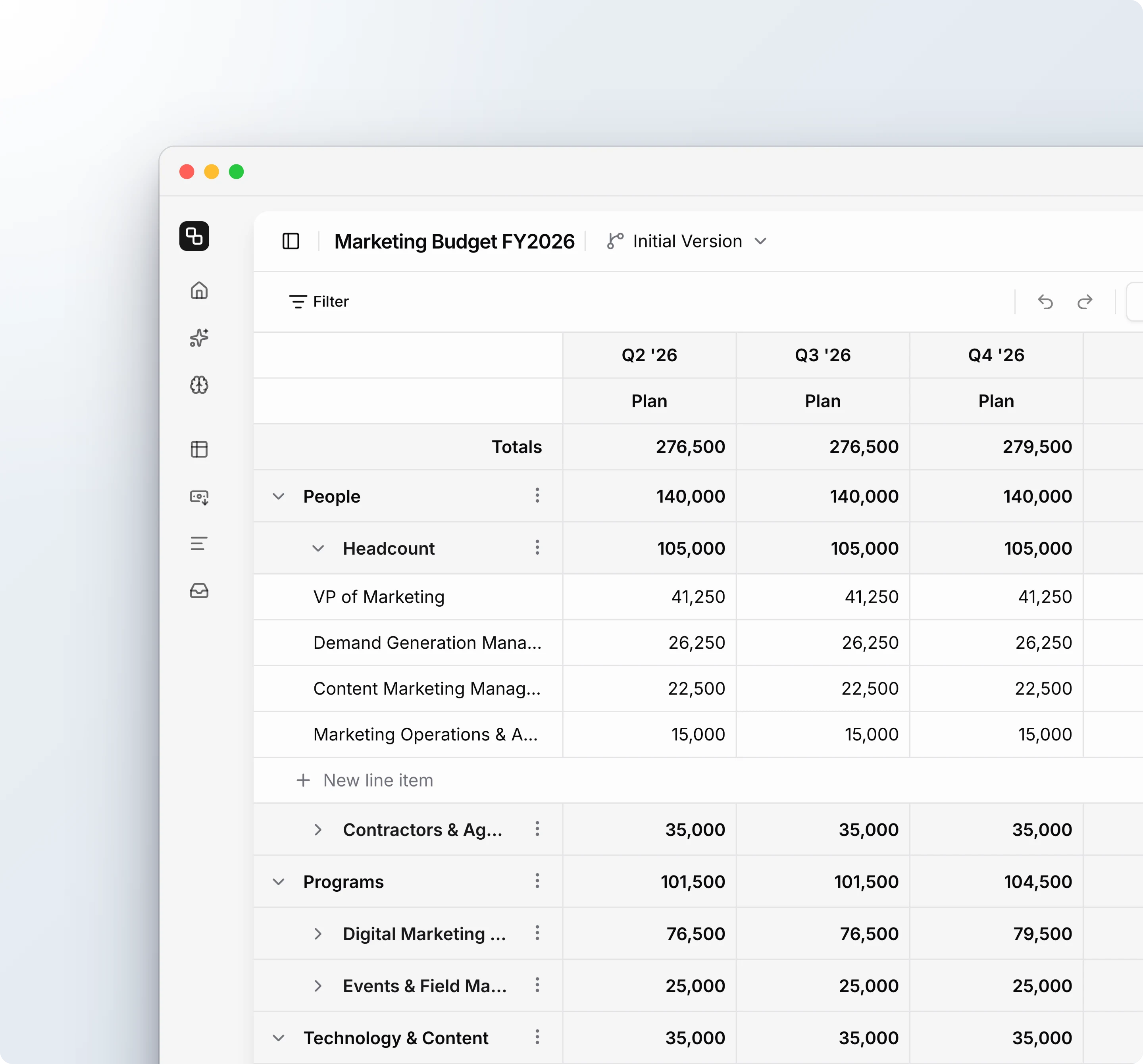
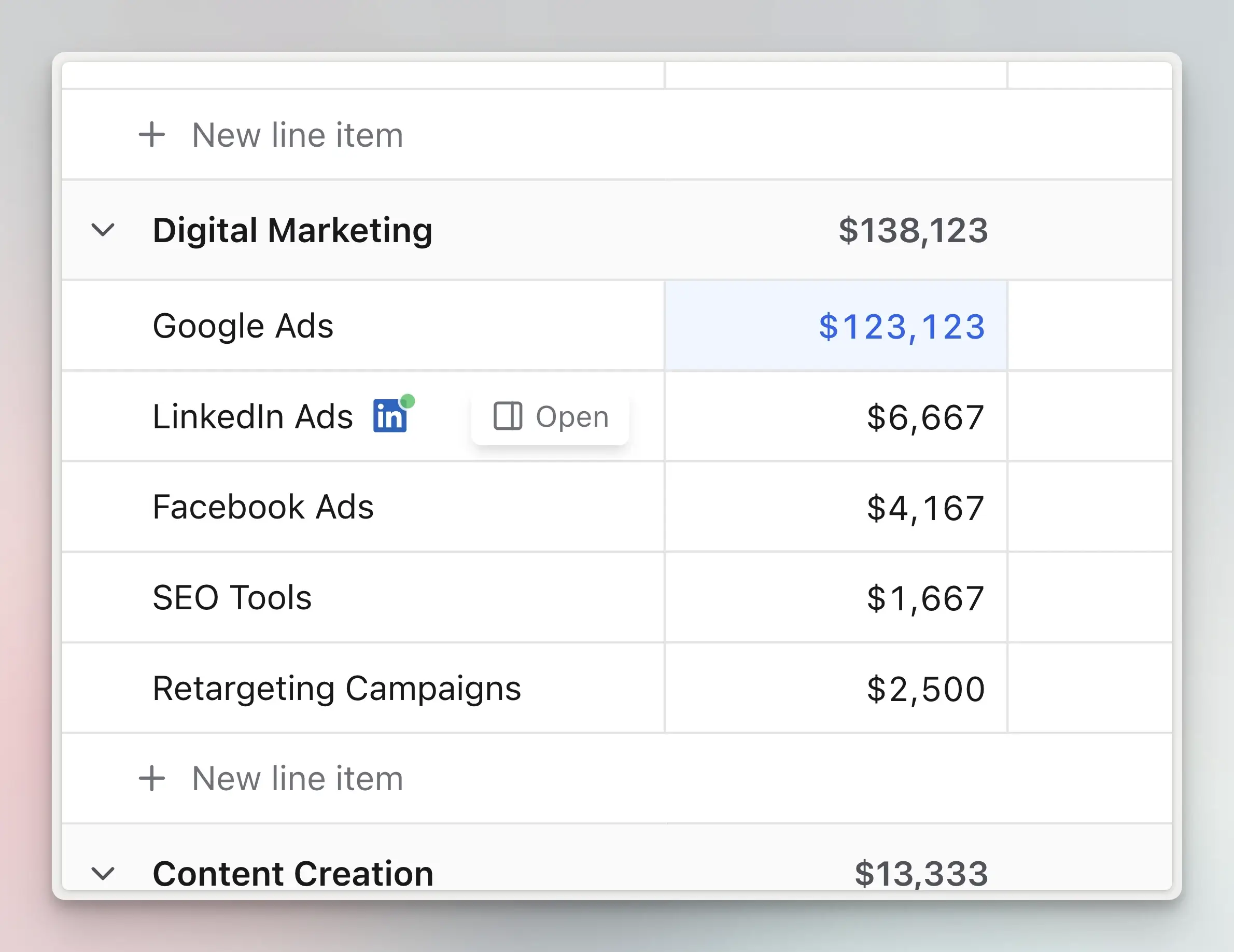
Organize a budget in up to four levels: optional master categories, categories, line items, and the expenses under each line item:
- Master Categories - Group related categories under collapsible parent categories (e.g., “Digital Marketing” containing “Paid Search,” “Social Media,” “Display Advertising”)
- Categories - Organize spend by channel, campaign type, or function
- Line Items - The individual rows of your budget, with a planned amount for each month
- Expenses - The dated payments under a line item. Etropo adds them up for each month, and that total becomes the actuals. Learn more about expenses
- Cost Centers - Track departmental or functional allocations
- Custom Properties - Add custom fields (text, numbers, dropdowns) to categorize spend your way
Example budget hierarchy:
Marketing Budget 2025
├── Digital Marketing (Master Category)
│   ├── Paid Search
│   │   ├── Google Ads - Brand Keywords (Line Item)
│   │   │   ├── Mar 3 - Google Ads invoice - $2,400 (Expense)
│   │   │   └── Mar 17 - Card payment - $1,800 (Expense)
│   │   ├── Google Ads - Non-Brand
│   │   └── Microsoft Ads
│   ├── Social Media
│   │   ├── LinkedIn Ads
│   │   ├── Meta Ads
│   │   └── Twitter Ads
│   └── Display Advertising
├── Content Marketing (Master Category)
│   ├── Blog & SEO
│   └── Video Production
└── Events & Sponsorships (Master Category)
Budget Versions
Plan an alternative version of a budget without changing the version your team uses:
- Draft versions - Build a reforecast or a cut scenario alongside your live plan
- One active version - What everyone sees by default and what integrations write to
- Shared actuals - Actuals, categories, and access are the same in every version; only the planned amounts differ
- Side-by-side comparison - Overlay versions on the Plans dashboard to see how they diverge month by month
Learn more about budget versions
Currencies
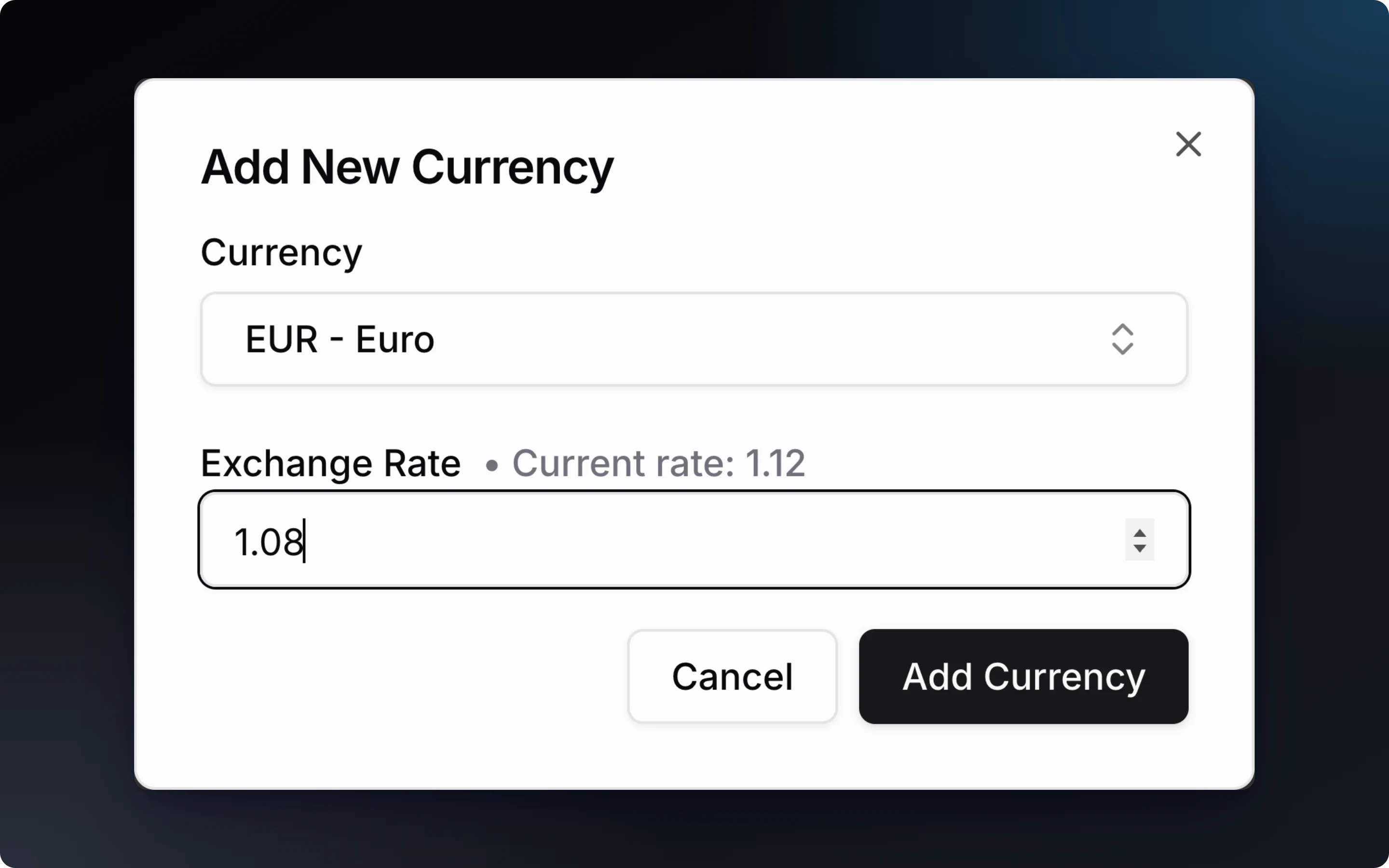
Operate globally with native multi-currency capabilities:
- Set organizational default currency
- Assign different currencies to individual line items
- Automatic exchange rate tracking and conversion
- Variance calculations normalize across currencies
Collaboration
- One shared budget - All team members work in the same budget in real time. There are no version conflicts, and CMOs see all team planning
- Category-level access control - Grant specific team members access to relevant categories
- Line item owners - Assign an owner to each line item
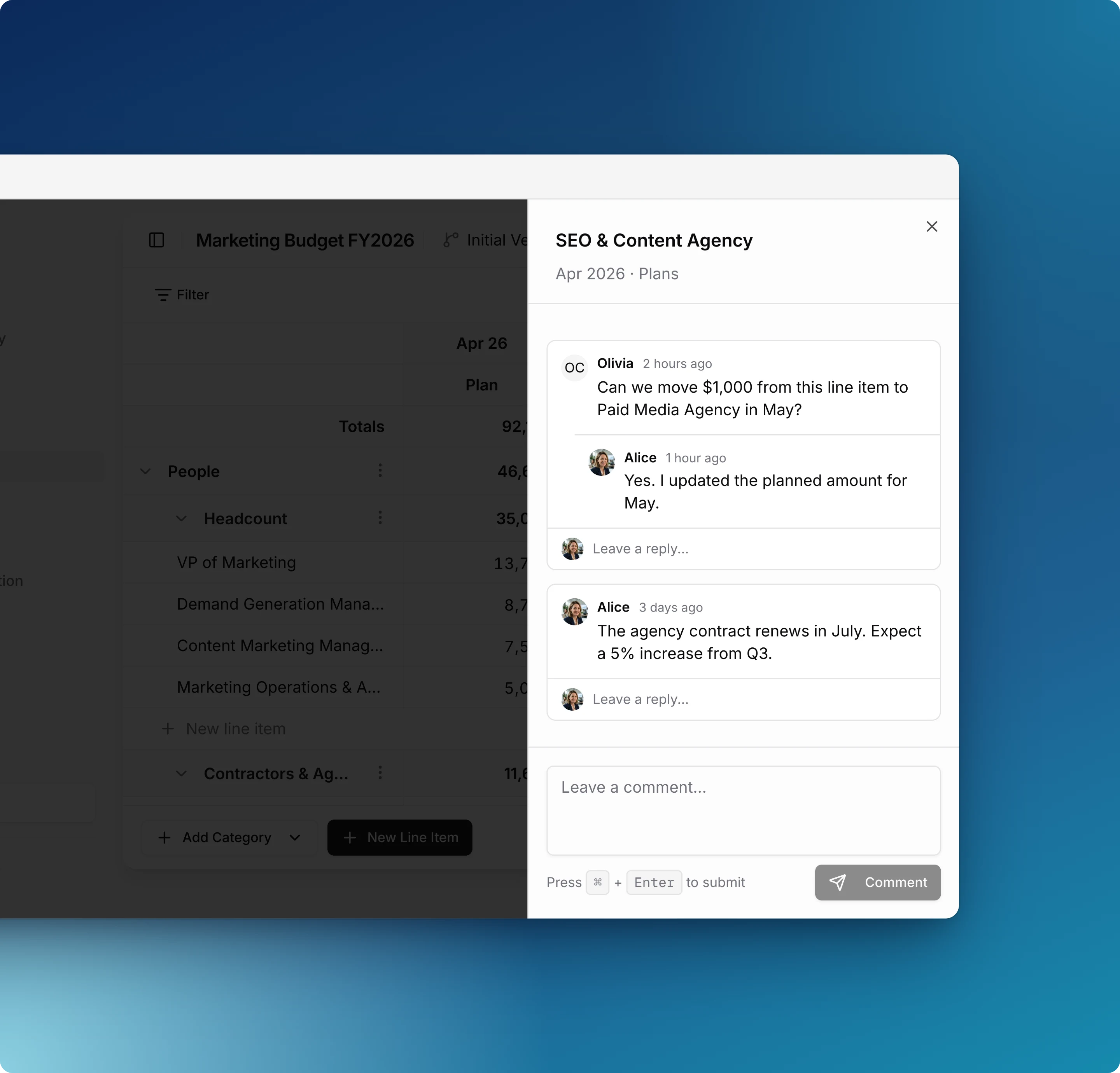
- Comments & discussions - Threaded comments on any line item or individual cell, with the ability to resolve and reopen discussions
- Visual approval workflows - Drag-and-drop kanban board to move line items through Draft, Pending Approval, Approved, and Rejected statuses
Spend & Actuals
Integrations
Automatically sync actuals from your marketing platforms:
- Google Ads - Daily OAuth sync with multiple account support and up to 12 months historical import
- LinkedIn Ads - Daily sync with campaign mapping and historical data
- Meta Ads (Facebook & Instagram) - Daily sync for all your Meta ad accounts
- TikTok Ads - Automatic sync of your TikTok ad spend
- Google Sheets - Daily two-way sync for Finance team collaboration
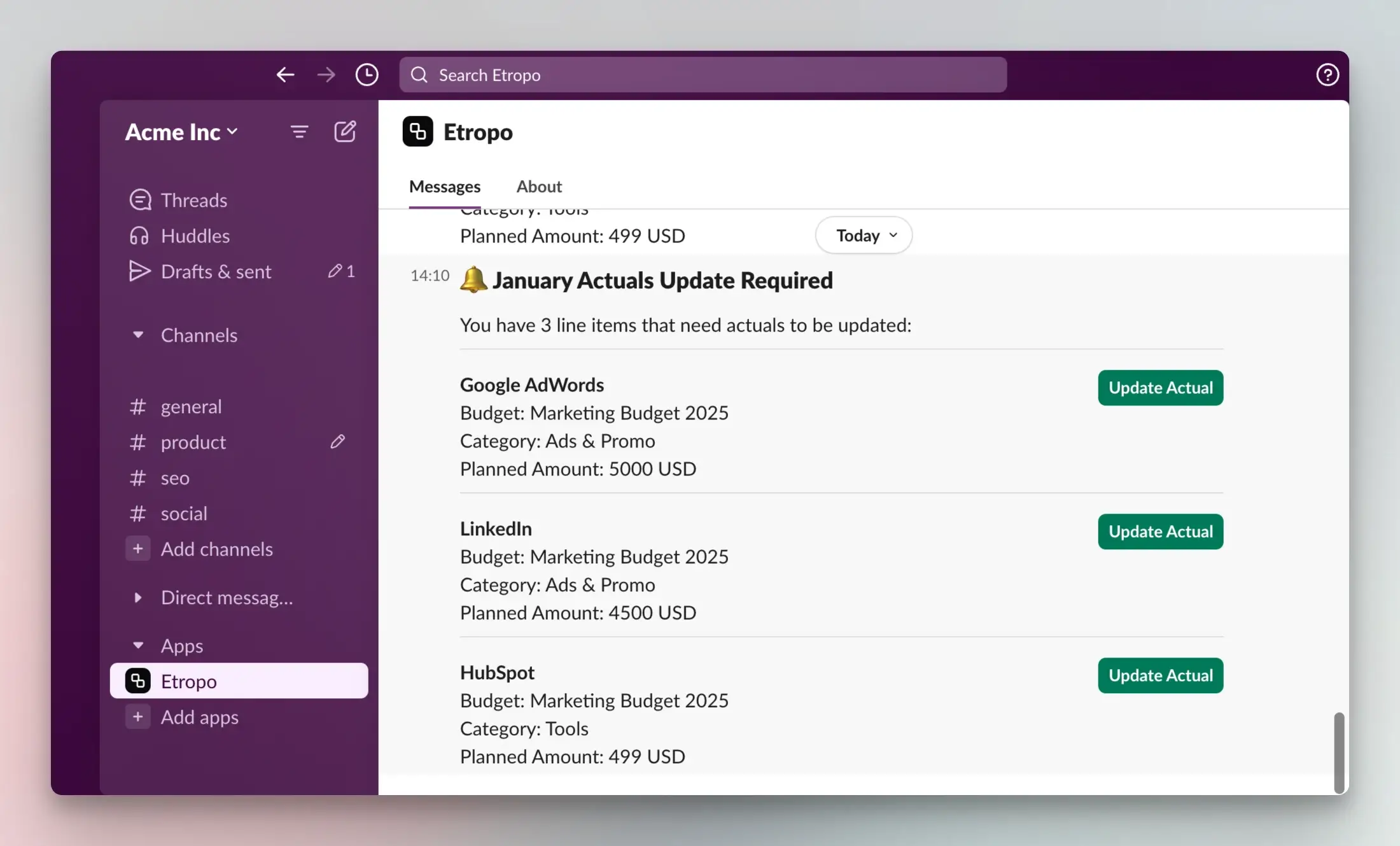
- Slack - Flexible reminders (e.g., “first Tuesday of each month”) and one-click actual entry, plus Budget Buddy directly in Slack
- Microsoft Teams - Reminders and one-click updates of actuals
Invoice Automation
Two ways to process invoices with AI-powered extraction:
- Email forwarding - Forward vendor invoices to your unique email address
- Manual upload - Upload up to 10 PDF invoices directly from the interface
AI extracts amounts, dates, and descriptions automatically. Review and confirm in seconds - no manual data entry.
Expenses
Split the actuals for any month into individual payments:
- Dated expenses - Record each payment with its own date, amount, and description
- Actuals derived automatically - Each month’s expense total becomes the actuals for that month on the grid
- Invoices included - Confirmed invoices appear as expenses too; rejecting an invoice removes its amount
- Credits and refunds - Negative amounts keep corrections visible instead of hiding them
Manual Actuals
For spend not tracked by integrations or expenses:
- Grid interface - Fast data entry with keyboard shortcuts
- Range selection - Select multiple cells at once (Cmd/Ctrl+click, Shift+select)
- Bulk updates - Update multiple months or line items simultaneously
- Yearly totals - An annual totals column for every line item
- Currency-aware totals - Selected ranges show normalized totals across currencies
- Missing actuals tracking - Home dashboard shows which team members haven’t submitted actuals
Analysis
Planned vs. Actuals
Automatic variance calculations compare your actuals with your planned amounts:
- Monthly variance - Planned vs. actual for each month
- Variance percentage - Percentage over/under budget
- YTD tracking - Year-to-date planned vs. actual accumulation
- Annual forecast - Projected year-end spend based on actuals plus remaining planned amounts
- Status indicators - Visual alerts for variances (normal <5%, warning 5-10%, critical >10%)

Dashboard
Interactive charts and insights on your home page:
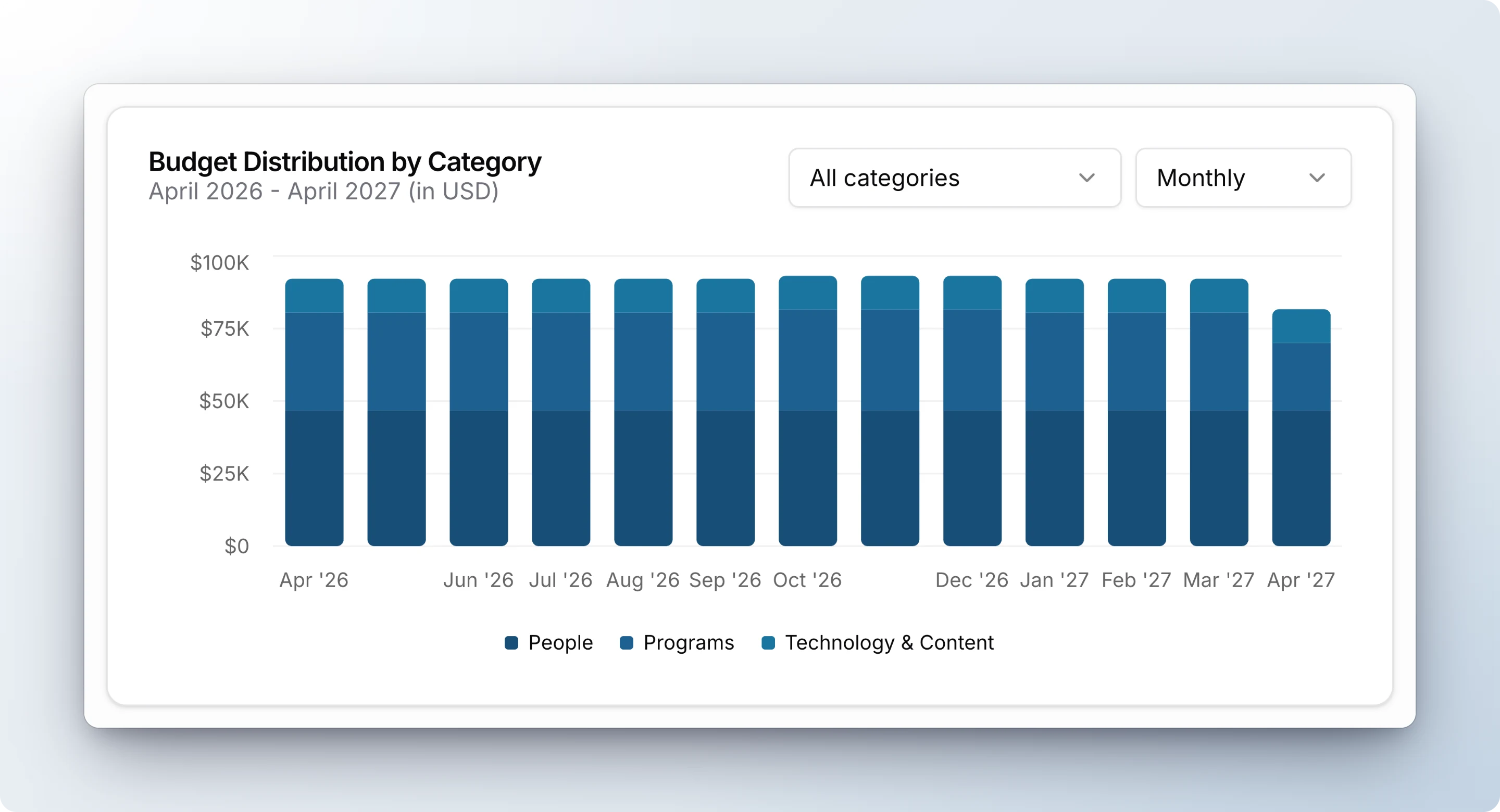
- Monthly allocation trends - See spend distribution over time
- Category breakdown - Pie chart of budget by category
- Growth analysis - Track budget changes period-over-period
- Drill-down capabilities - Click chart elements to explore details
- Configurable views - Monthly, quarterly, or half-yearly aggregations
Budget Buddy
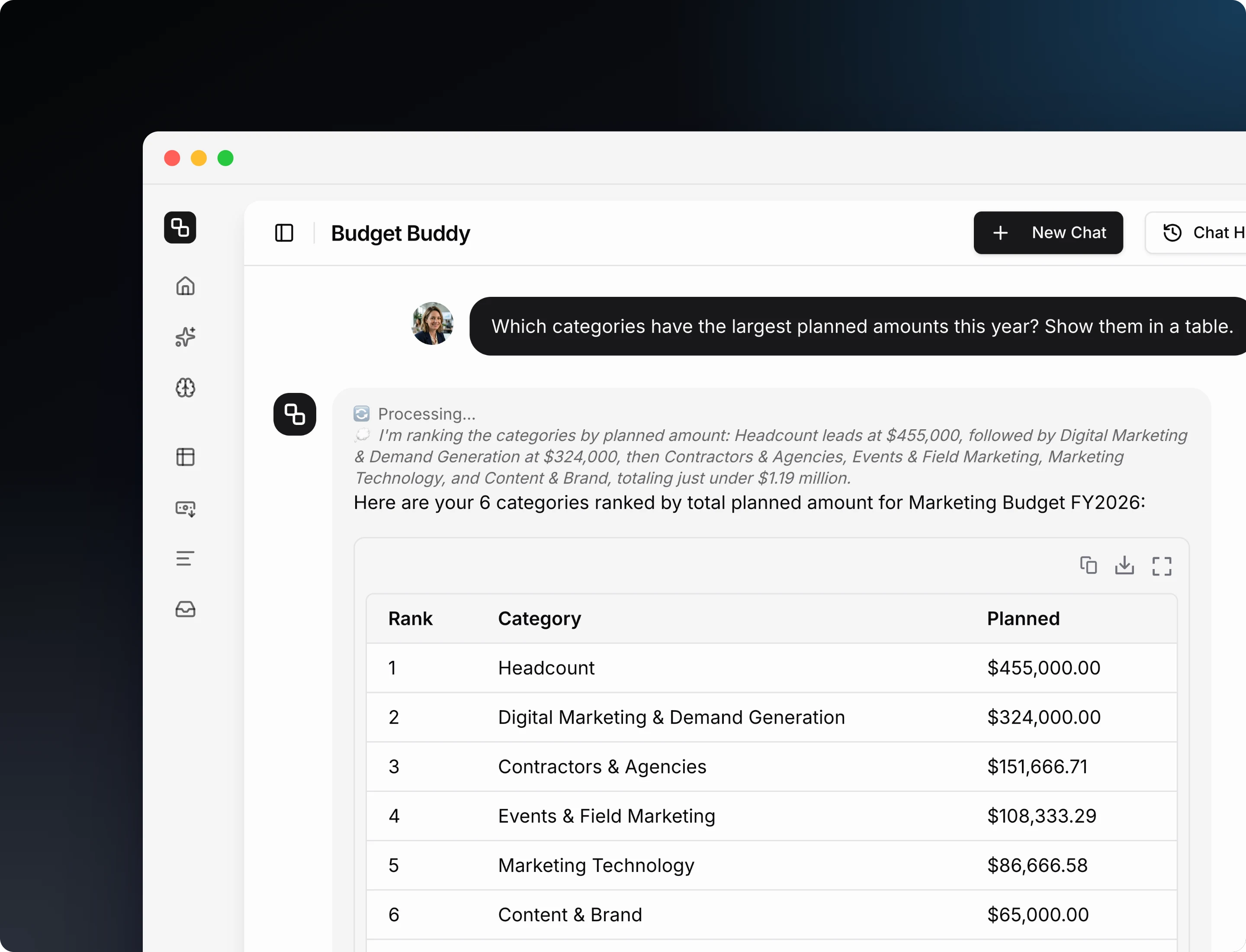
Budget Buddy is the AI built into Etropo. It knows your budget in detail:
Plan and build your budget with conversation — Add line items, create categories, approve budget requests, change owners, update cost centers, or set custom properties — all through natural language. Say “Add a TikTok Ads line item to Paid Media with $5,000/month for Q1”. Budget Buddy confirms the details, creates the line item, and sets the values in one step.
Ask anything about your budget — Type a question like you’d ask a colleague. “How much are we spending on social media?” or “What’s our total paid media budget for Q1?” Budget Buddy searches across all your line items and returns exact numbers.
Sync actuals in one prompt — Tell Budget Buddy what changed, and it updates the actuals for many line items in one step. Say “Update actuals based on this conference summary”. Budget Buddy maps the amounts to the right line items, and you confirm them.
Find overspending early — “Are we overspending anywhere this year?” Budget Buddy compares your actuals against planned amounts across every line item and category, and shows you exactly where the variance is.
Where you can use Budget Buddy:
- In Etropo - Access Budget Buddy from any page via the home dashboard widget or the chat panel
- In Slack - Ask Budget Buddy questions directly in Slack without switching to Etropo
- In Claude, ChatGPT, Gemini & other AI agents - Connect Etropo via MCP and manage your budget from any AI assistant
Access Control
Organization Roles
- Admins - Full budget access, integration management, member management
- Members - Access to assigned categories and line items
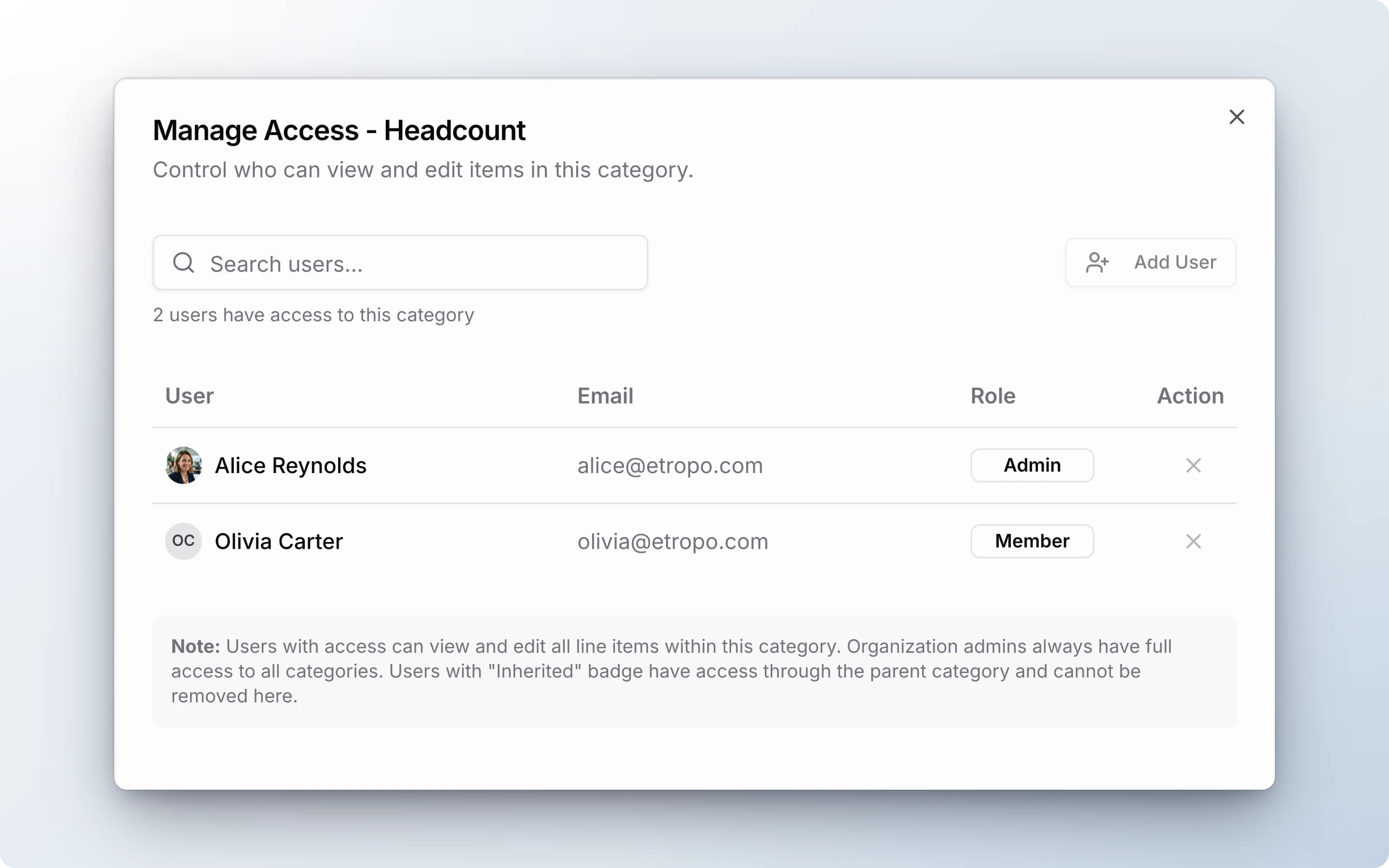
Category Access
Fine-grained control over who sees what:
- Category-level permissions - Grant access to specific categories
- Inherited access - Master category access automatically grants access to child categories
- Line item ownership - Assign owners for specific line items
- Bulk access management - Add/remove access for multiple users at once
Why this matters: Share your overall marketing budget with the VP of Marketing while giving individual channel managers access only to their categories. Junior team members can update actuals for their line items without seeing executive compensation budgets.
Campaigns and CRM
Connect your CRM to see which spend leads to pipeline and conversions:
- Attio integration - Sync deals and pipeline data from Attio to see which line items drive conversions
- HubSpot integration - Connect HubSpot CRM for campaign conversion tracking
- Campaign tracking - Link line items to campaigns and see performance alongside spend
- Dedicated campaign pages - Open any campaign for its full scoreboard, linked line items, and CRM mapping
- Learnings & Notes - Record what worked after a campaign ends. Etropo saves it to your Marketing Brain
Why this matters: See spend and pipeline impact side by side. Know which channels are actually driving results, not just consuming budget.
Fiscal Year
Not every organization uses a January-December year:
- Custom fiscal year start - Set your fiscal year to start in any month (e.g., April for Q1)
- Ready-made presets - Calendar Year, Indian (April), Australian (July), and US Federal (October)
- Aligned reporting - All charts, variance tracking, and exports respect your fiscal calendar
- Period grouping - View data by your actual quarters, not just calendar quarters
In the app, set it under Budget Settings → Fiscal Year. Learn more.
Export
XLSX Export
Instant download of budget data in Excel format:
- Export options - Current view only (Plans OR Actuals) or Both
- Complete structure - Master categories, categories, line items, cost centers, properties
- Monthly columns - All months in budget period
- One-click export - Immediate download, no waiting
Google Sheets Sync
Automated two-way sync with Google Sheets:
- Three-tab spreadsheet - Plans, Actuals, and Plans & Actuals Combined
- Daily automated sync - Updated data every morning
- Manual sync - On-demand refresh with one click
- Live collaboration - Share with Finance team using Google Sheets permissions
- Additional columns - Includes Owner and Currency data (not in XLSX export)
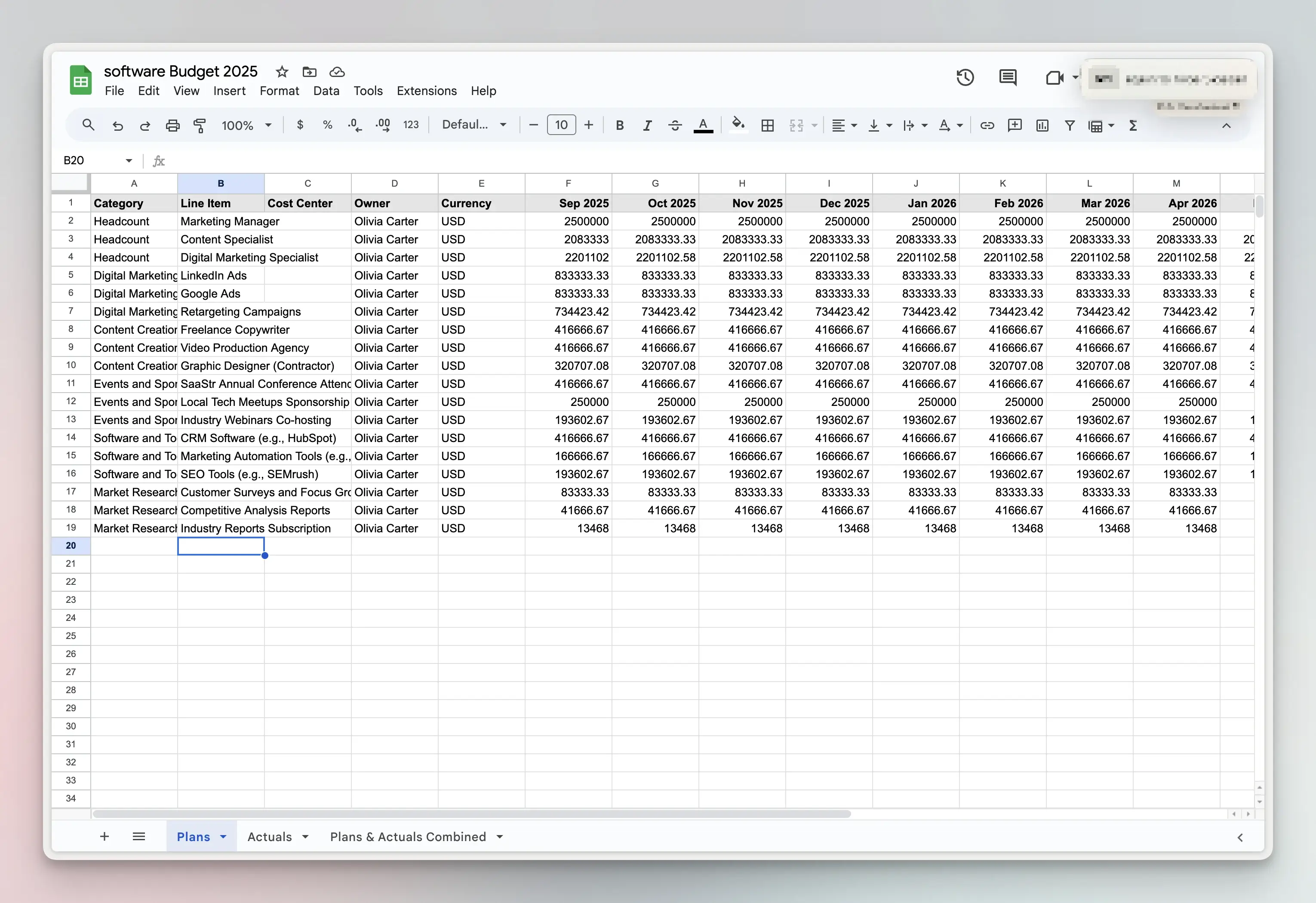
Use case: Your Finance team uses Google Sheets for reporting. Connect your budget once, and they get updated data every morning without asking you.
Budget Import
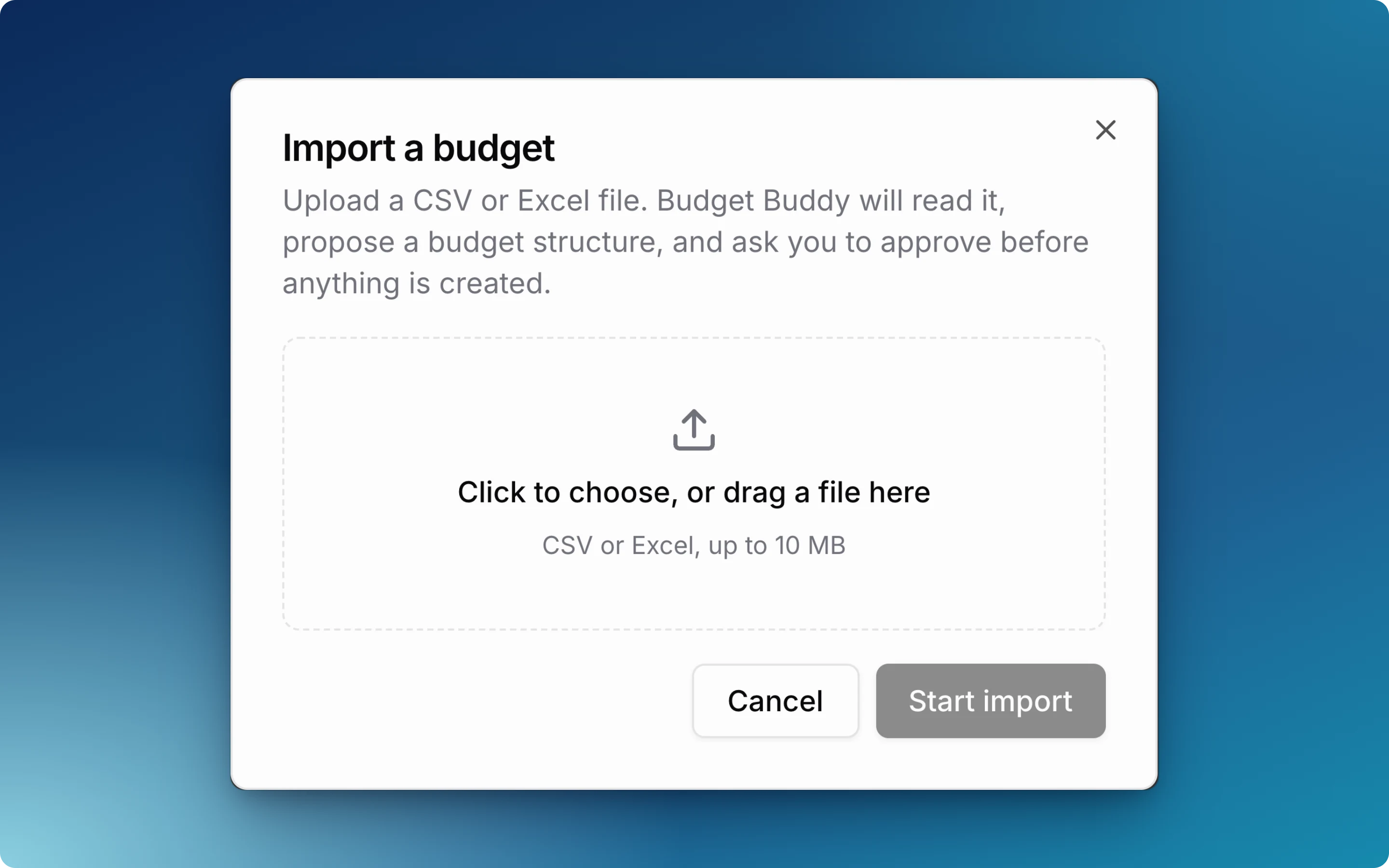
Import your existing budget in under a minute:
- 60-second import - Upload Excel/CSV and get structured budget
- AI-powered detection - Automatically identifies line items, categories, cost centers
- No manual mapping - Etropo detects your structure
- Multi-currency support - Handles mixed currencies in import
Plans and Trial
14-Day Pro Trial
Every new organization automatically receives:
- Full Pro access for 14 days
- No credit card required
- All integrations included
- Unlimited team members
Paid Plans
After trial, choose the plan that fits your needs:
- Essential - Core budgeting features, basic exports
- Pro - All features including integrations, Budget Buddy, advanced analytics
- Custom - Enterprise features, custom limits, priority support
See pricing page for current pricing.
Planning Cycle
1. Build Your Budget
- Set up your defaults on the Budget Settings page in the app (fiscal year start month, currencies)
- Create budget with start and end dates
- Define categories and master categories (if using hierarchical structure)
- Add line items with planned monthly amounts
- Assign owners and cost centers
- Add custom properties as needed
2. Track Actuals
Choose your tracking method:
- Automated - Connect Google Ads, LinkedIn Ads, Meta Ads, or TikTok Ads for automatic sync
- Invoice automation - Upload PDFs, or forward vendor invoices to your unique email address. AI extracts the data
- Manual entry - Use the grid interface for non-integrated spend
- Slack and Microsoft Teams reminders - Get flexible reminders (e.g., “first Tuesday of each month”) to update actuals
3. Analyze Performance
- Dashboard insights - Charts show the state of your budget
- Variance tracking - Automatic planned vs. actual comparisons
- Budget Buddy - Ask questions and get instant analysis
- Export reports - Generate XLSX or sync to Google Sheets
4. Adjust & Optimize
- Reforecast - Update planned amounts based on actual performance
- Reallocate budget - Move budget between categories when priorities change
- Approval workflows - Submit changes for stakeholder approval
- Comments & collaboration - Discuss changes with team members inline
5. Repeat
- Duplicate for next period - Copy budget structure for next quarter/year
- Refine process - Improve accuracy with each cycle
- Build history - Create trends and year-over-year comparisons
Who Uses Etropo
Primary Users
- Marketing Operations Managers - Centralize and automate budget tracking
- CMOs & VPs of Marketing - Executive visibility into marketing spend
- Finance Business Partners - Collaborate with marketing on budget management
- Performance Marketing Managers - Track paid media ROI and spend pacing
- Marketing Coordinators - Update actuals and manage line item details
Organization Types
- Mid-market companies (50-500 employees) with dedicated marketing teams
- Agencies managing client budgets across multiple accounts
- SaaS companies with complex digital marketing spend
- B2B companies with multi-channel marketing programs
- E-commerce brands with seasonal budget fluctuations
Team Size
- Works for solo marketers managing their own budget
- Scales to large marketing teams (50+ members) with role-based access
Frequently Asked Questions
How is Etropo different from other budget tools?
Etropo is AI-native. Budget Buddy understands your entire budget. Ask it questions, generate reports, or make updates in natural language, directly in the app or from Slack. It is not an add-on; the platform is built around it.
Key capabilities:
- Budget Buddy - Answers questions, generates reports, and makes budget updates from the app or Slack
- Automated spend tracking - Google Ads, LinkedIn Ads, Meta Ads, TikTok Ads, and CRMs sync automatically
- AI invoice processing - Forward a PDF by email, AI extracts the data, you confirm with one click
- Real-time collaboration - Threaded comments on any cell, approval workflows, and granular permissions
- CRM integration - Connect Attio or HubSpot to see spend alongside pipeline impact
What exactly does Etropo do?
Etropo is marketing budget software that handles three core functions:
- Planning - Create budgets organized by categories and line items with monthly planned amounts
- Tracking - Collect actuals automatically from ad platforms and invoices, or enter them manually
- Analysis - Compare planned vs. actual with variance calculations, dashboards, and AI insights
It’s a collaborative, AI-native platform built specifically for marketing teams.
Does Etropo support multiple currencies?
Yes. Each line item can have its own currency, for example USD, EUR, and GBP in the same budget. Etropo converts them to your default currency for totals and variance. See Currencies.
Should I invite my marketing team to Etropo?
Yes. Line item owners can update their own actuals, comment, and take part in approvals. Each person sees only the categories you give them access to, and there are no per-seat fees. See Inviting Team.
What integrations does Etropo offer?
- Ad platforms - Google Ads, LinkedIn Ads, Meta Ads, and TikTok Ads sync your actuals
- CRM - Attio and HubSpot sync deals to show which spend drives conversions
- Messaging - Slack and Microsoft Teams send reminders and let people update actuals in one click
- Export - Google Sheets gets your budget data every day
- AI assistants - Claude, ChatGPT, and Gemini can read and update your budget
See the full list at etropo.com/integrations .
How long does it take to set up?
Most teams are fully operational within one day — import your existing budget, connect your ad accounts, and invite your team. No complex setup or IT involvement required.
Is my data secure?
Yes. Etropo is built on SOC 2 Type II compliant infrastructure with end-to-end encryption. Optional two-factor authentication (2FA) is available for all accounts. See etropo.com/security for full details.
Ready to manage your marketing budget with AI? Start your 14-day Pro Trial →