Connecting Etropo to HubSpot Breeze Agents
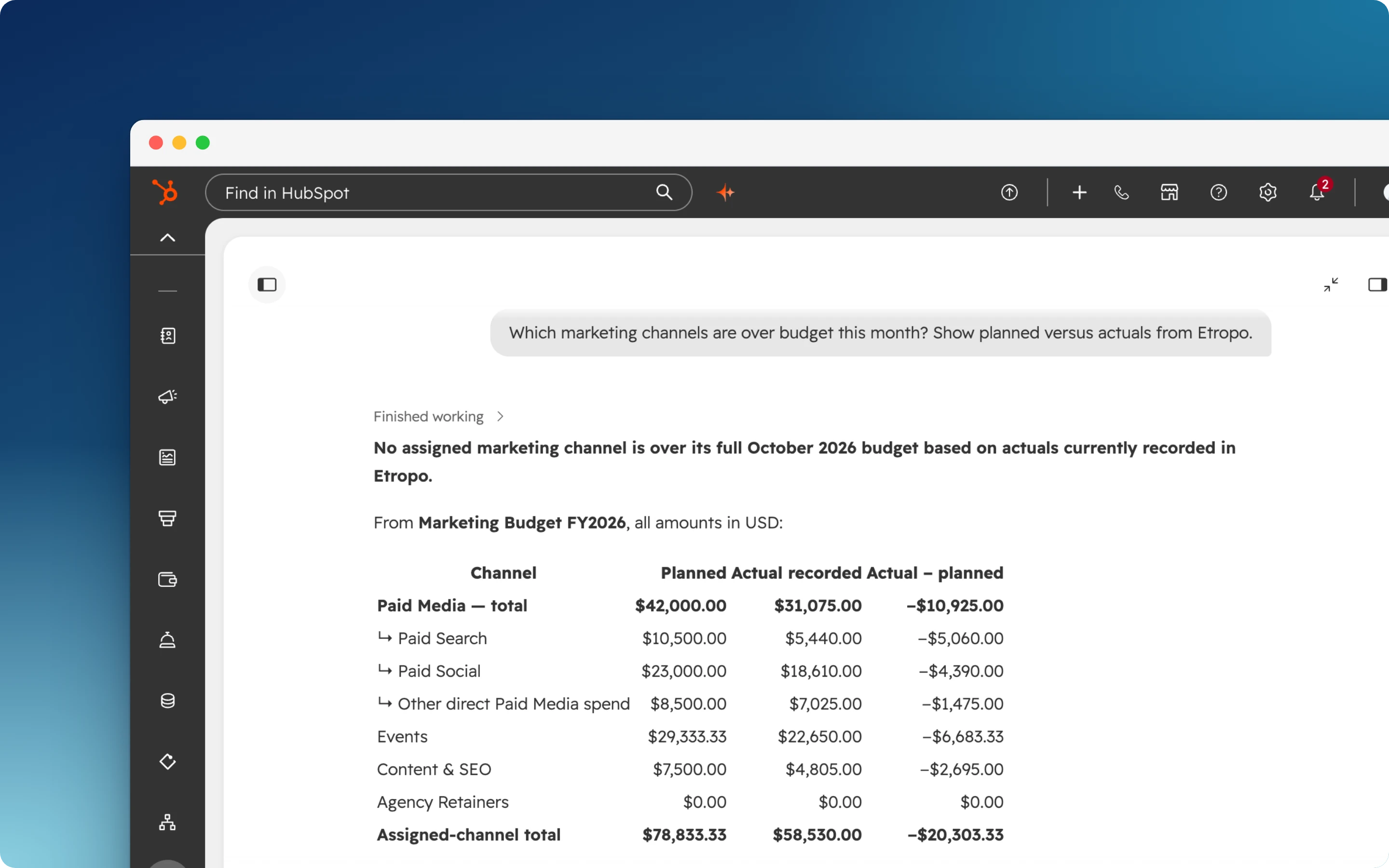
With the Etropo app for HubSpot, your Breeze agents can read your marketing budget and answer with the planned amounts and actuals from Etropo.
Before You Start
- An Etropo account with a budget, admin access, and a Pro or Custom plan. See Before You Start on Connect Your AI Assistant
- In HubSpot, permission to install apps and to edit agents
Install the App in HubSpot
- Open the Etropo listing in the HubSpot Marketplace
- Click Install app
- Choose the HubSpot account to install it in
- Click Connect app
You install the app once per HubSpot account. Each agent connects to Etropo separately, in the next section.
Add Etropo to an Agent
-
In HubSpot, open the agent
-
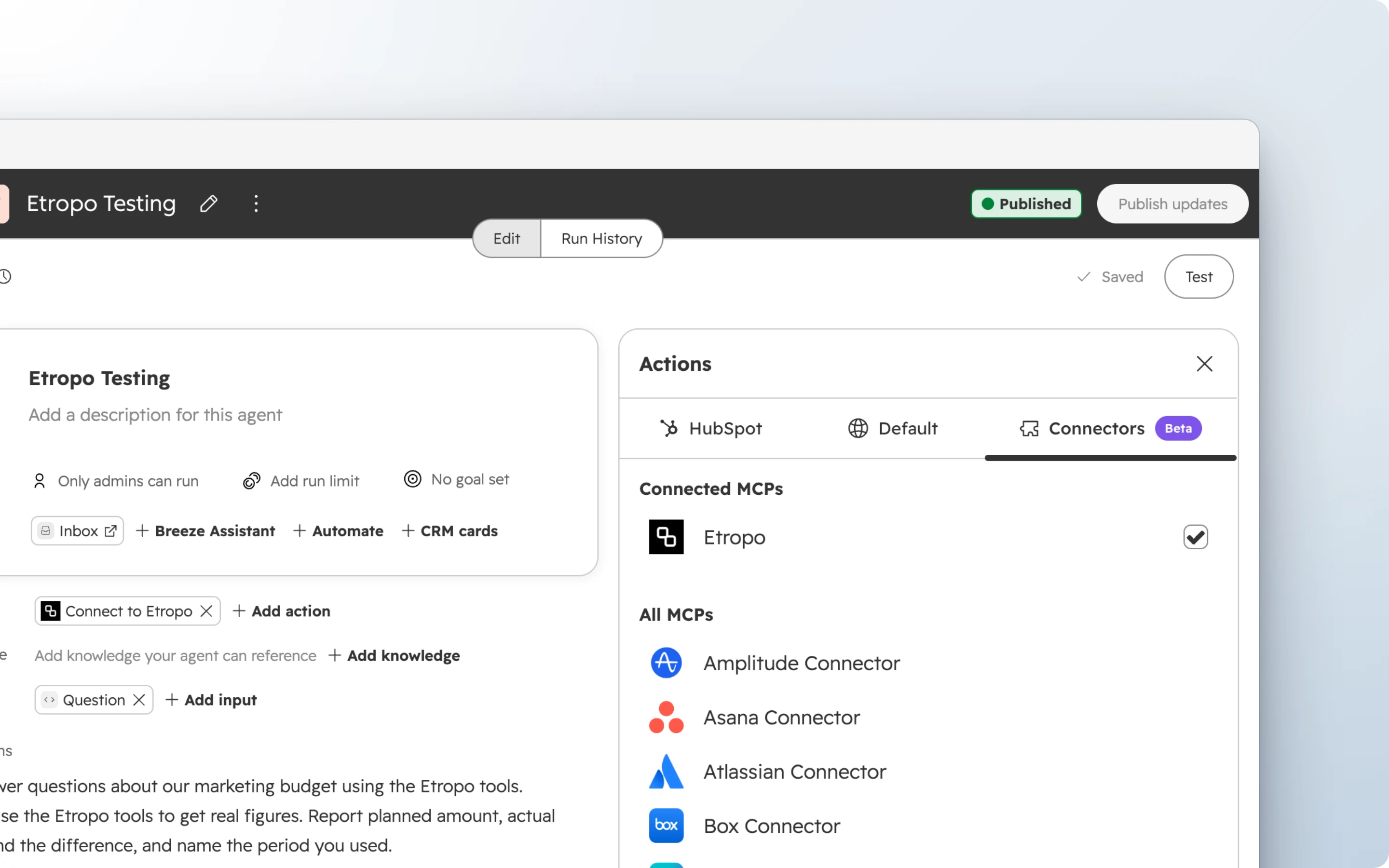
Next to Actions, click Add action
-
Open the Connectors tab
-
Click Etropo, then Connect and add
-
Sign in to Etropo and click Authorize. See Approving the Connection if you belong to more than one organization
-
Click Save
The agent sees the budgets and categories your Etropo account can see, nothing more.
To use Etropo in Breeze Assistant without an agent, click + in a new chat, open Connectors, and turn on Etropo.
Ask About the Budget
Ask the agent in plain language, for example “Which channels are over budget this month?”. See What You Can Do for what it can read and change.
Disconnecting
- To remove Etropo from one agent, remove the Connect to Etropo action from the agent
- To remove the app from your HubSpot account, open Connected apps and uninstall Etropo
Troubleshooting
Etropo is not in the Connectors tab
The app is not installed in this HubSpot account. Install it from the HubSpot Marketplace, then open the Actions picker again.
For sign-in and approval problems, see Troubleshooting on Connect Your AI Assistant.
Privacy & Security
The app reads nothing from your HubSpot account. Your Etropo data reaches the agent through the same connection that Claude and ChatGPT use. See Permissions & Security for AI Assistants for who can connect and what the agent can access.
Support
For additional help you can reach out to our support team at: help@etropo.com