Email Reminders for Actuals
Line item owners receive automated email reminders when their actuals need updating. Admins configure the schedule — which day of the month, what time, and in which timezone — from the Notification Settings page.
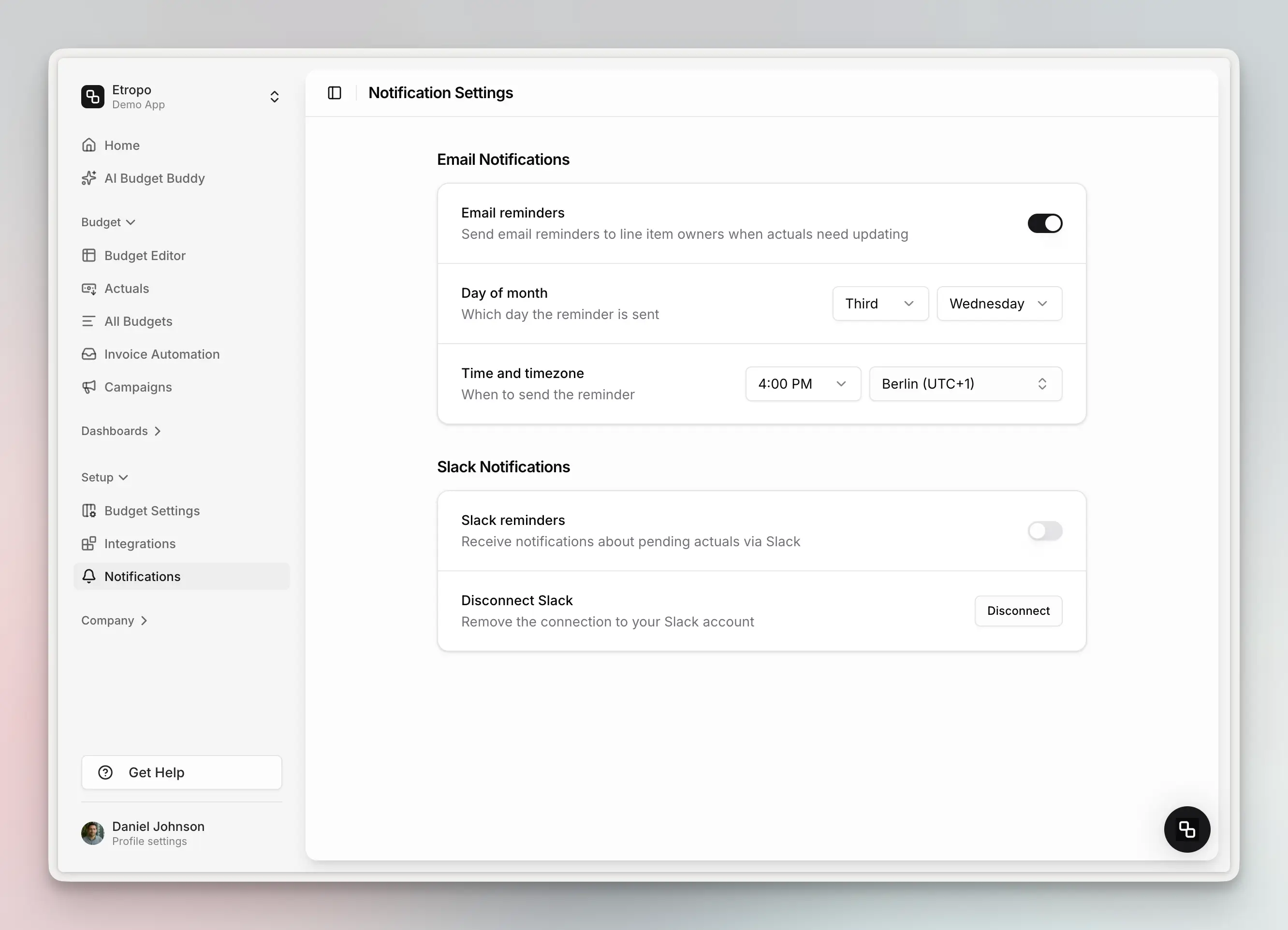
Setup
- Navigate to Notifications in the sidebar
- Toggle Email reminders on
- Configure the schedule:
- Day of month — Choose an occurrence and day (e.g., “Third Wednesday”)
- Time and timezone — Set the send time in your preferred timezone (e.g., “4:00 PM Berlin UTC+1”)
Once enabled, all line item owners with missing actuals will automatically receive reminders on the configured schedule.
What Owners Receive
Each email lists the owner’s line items that are missing actuals for the current month, grouped by category, with the planned amount shown for reference. Clicking through takes them directly to the budget editor.
Who Gets Reminders
A team member receives an email when all of these are true:
- They are assigned as the owner of one or more line items
- Those line items have missing actuals for the current month
- The line items belong to an active budget
- Email reminders are enabled by the admin
Last updated on