AI Budget Buddy
What is AI Budget Buddy?
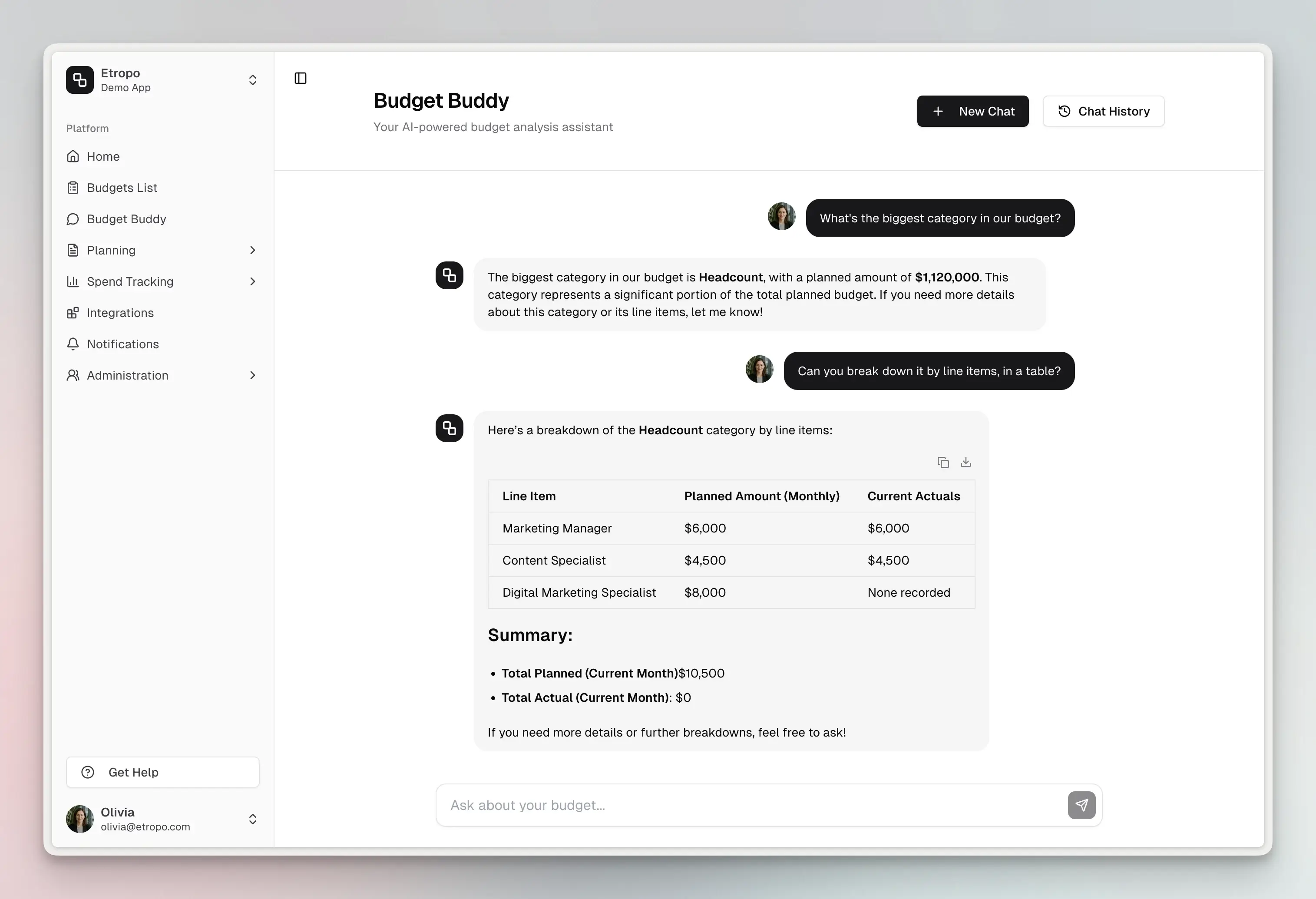
AI Budget Buddy is an AI assistant built into Etropo that has full access to your budget data. It can retrieve line items, analyze variance, create new items, update values, and manage approvals — all through natural language.
It’s available in three places: Etropo’s web app, as a Slack bot (@etropo), and via MCP for external AI tools.
What It Can Do
Plan
- Add line items — create up to 20 line items in a single request, with optional planned/actual values for specific months.
- Set planned amounts — set or change planned amounts for specific line items and months.
- Create categories — create top-level or nested budget categories (admin-only).
- Check remaining budget — see how much is left across the entire budget or specific categories.
Analyze
- Variance analysis — calculates actual vs. planned across line items, categories, and budget totals. Sorted by variance amount and percentage.
- Budget vs. actual breakdowns — compare planned and actual spending at any level.
- Monthly spending trends — track how spending evolves over time.
- Category-level summaries — get totals and breakdowns per category.
Update Actuals
- Update actual spend — set actual amounts for specific line items and months.
- Bulk updates — batch up to 50 value updates at once.
Months backed by expenses and line items synced from an ad platform can’t be edited this way — their actuals are derived. Budget Buddy skips just those, explains why, and still applies everything else in your request.
Manage Properties
- Update properties — bulk update status, owner, cost center, category, name, or currency across up to 50 line items. Useful for approval workflows, reassignments, and reorganization.
Manage Budget Versions
Available in the web app. See Budget Versions for how versions work.
- List versions — see every version of a budget, which one is active, and what each one holds. Available to all members.
- Create a version — spin up a reforecast or a what-if scenario. By default it copies the active version’s plan and stays a draft, so nothing your team sees changes. Admin-only.
- Activate a version — make a version the live plan for everyone. Budget Buddy names the version and asks for a yes first, then tells you which integration connections moved and which couldn’t find a match. Admin-only.
Actuals and categories are shared across versions, so no spend data is ever duplicated or lost when Budget Buddy creates or activates one.
Learn
- Product help — answers how-to questions by searching Etropo’s documentation (e.g., “How do I create a budget?”, “What integrations are available?”).
Important: All write operations require your confirmation before executing.
Where to Use It
| Channel | How it works |
|---|---|
| Web app | Click AI Budget Buddy in the navigation. Conversations are saved automatically. |
| Slack | Mention @etropo or DM the bot in any workspace where it’s installed. Conversations are threaded. |
| MCP | Connect external AI tools (like Claude Code) to your budget data via Etropo’s MCP server. |
Note: Creating and activating budget versions is available in the web app only. MCP-connected assistants can list versions but not change them, and the Slack bot doesn’t manage versions at all.
Example Questions
Plan
- “Add a TikTok Ads line item to Paid Media with $5,000/month planned for Jan–Mar”
- “Set planned amounts for Q2 across all Paid Media items”
- “Create a new subcategory for Events”
- “How much is left in the budget?”
Analyze
- “Which line items are over budget?”
- “Show budget vs actual breakdown”
- “What has the highest variance?”
- “Monthly spending trends”
- “Give me a category-level summary”
Update Actuals
- “Update actual spend for Google Ads to $7,200 for March”
- “Bulk update actuals for this month”
Manage Properties
- “Approve all draft items in the Events category”
- “Assign all Paid Media items to Sarah”
Manage Budget Versions
- “What versions of this budget do we have?”
- “Create a Q4 reforecast version copied from the current plan”
- “Create an empty version called Zero-based 2026”
- “Make the Q4 Reforecast version active”
Stakeholder Reporting
- “Give me a table of all categories with planned, actual, and variance”
- “Summarize our Q1 budget performance for a board meeting”
Tips
- Be specific when you need specifics. “Show me Google Ads spending for March” works better than “show me some spending.”
- Ask follow-ups. AI Budget Buddy keeps conversation context, so you can drill down without repeating yourself.
- Use it for reporting. It formats data in markdown tables — useful for pasting into emails or presentations.
For additional help you can reach out to our support team at: help@etropo.com