Collaboration
Etropo’s built-in commenting system lets your team discuss budget decisions directly where they happen — on specific cells, line items, and months. Comments sync in real time, so everyone stays on the same page without refreshing.
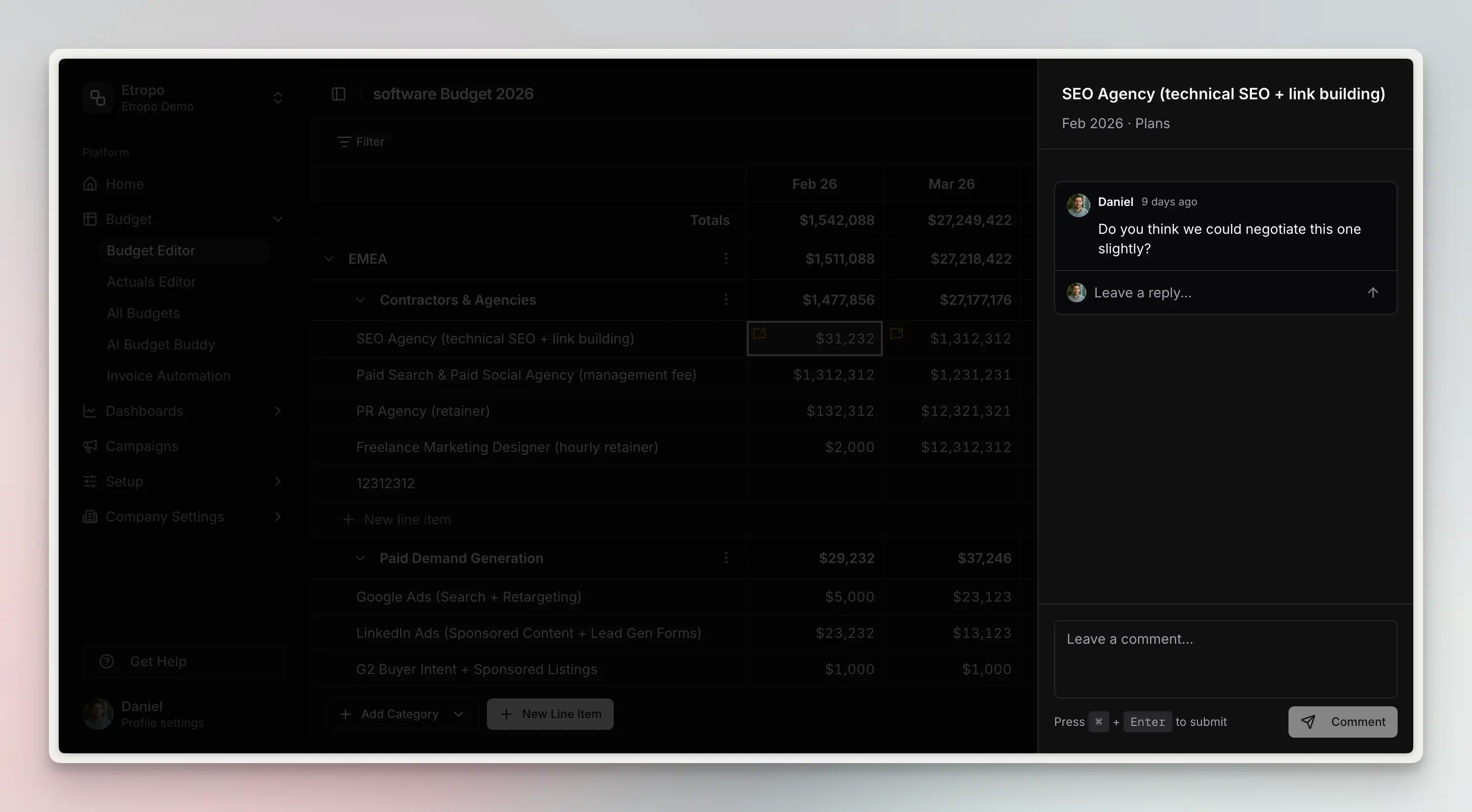
Cell-Level Comments
Comments aren’t limited to entire line items. You can leave a comment on any specific budget cell, tied to a particular month and column. Cells with active comments display an amber indicator so nothing gets missed.
Adding a Comment
Right-click any cell in the budget grid and select Add comment, or open the line item detail view to comment there.
Use Cmd+Enter (Mac) or Ctrl+Enter (Windows) to submit a comment quickly.
Threaded Replies
Reply directly to any comment to start a thread. Conversations stay organized inline, making it easy to follow discussions without losing context.
To reply, click the reply button on any existing comment.
Resolve & Reopen
Mark a comment thread as resolved when it’s been addressed. Resolved threads are visually dimmed and excluded from the cell indicators and comment count — so your budget grid only highlights what still needs attention.
To resolve a thread, click the resolve icon on the thread. If the discussion needs to continue, you can reopen it at any time.
Comment Count
The toolbar shows a count of active (unresolved) comments for the entire budget, giving you a quick overview of how many open discussions remain.
Real-Time Updates
All comments sync instantly across your team via real-time subscriptions. When a teammate adds, replies to, or resolves a comment, the update appears immediately — no refresh needed.